
Newsletter Subscribe
Enter your email address below and subscribe to our newsletter


Windows security is an essential part of protecting computers, business networks, and sensitive data. Security professionals regularly perform authorized assessments to identify weaknesses before attackers can exploit them. One tool frequently discussed in the cybersecurity community is winpeas, which assists with Windows security enumeration during approved security reviews.
This article explains what WinPEAS is, why it is popular, its common capabilities, and how it supports ethical cybersecurity practices.
WinPEAS is an open-source Windows enumeration utility designed for authorized security assessments. It gathers system information that helps security teams understand a computer’s configuration, installed software, user permissions, services, scheduled tasks, and other security-related details.
Rather than serving as a security solution by itself, WinPEAS provides information that can help professionals identify areas requiring further investigation or improvement.
The popularity of WinPEAS comes from several practical advantages.
Being open source allows developers and security researchers to review and improve the project.
The tool collects information from many areas of the Windows operating system in a single execution.
Automation reduces the time needed for routine system reviews.
Many cybersecurity courses introduce WinPEAS in controlled laboratory environments to teach Windows security concepts.
WinPEAS helps gather information such as:
Displays Windows version information and basic system data.
Lists users, groups, and permission-related information.
Provides an overview of installed software that administrators may review.
Collects information about services running on the system.
Shows scheduled tasks that may be relevant during a security audit.
Highlights various configuration details that security professionals can evaluate.
Using winpeas in authorized environments offers several advantages.
Automation simplifies Windows enumeration tasks.
Administrators gain a clearer understanding of system configurations.
Security assessments become more organized and comprehensive.
Collected information can help prioritize security improvements.
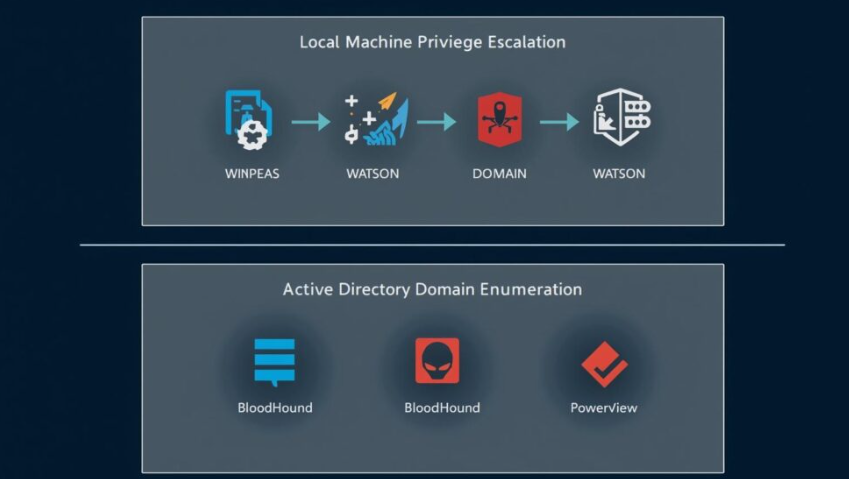
WinPEAS is commonly used for:
All activities should be performed only with explicit permission from the system owner.
Ethical cybersecurity practices are essential when using security tools.
Only assess computers or networks you own or have permission to evaluate.
Handle system details responsibly and securely.
Review automated results before making security decisions.
Regular updates help reduce vulnerabilities and improve system stability.
WinPEAS is an open-source Windows enumeration tool used during authorized cybersecurity assessments.
Security professionals, penetration testers, IT administrators, cybersecurity students, researchers, and incident response teams commonly use it in approved environments.
Yes. WinPEAS is available as an open-source project for educational and professional use.
It helps identify system information that supports security reviews, but administrators must evaluate findings and apply appropriate security improvements.
Yes. It is widely used in cybersecurity training labs to teach Windows security enumeration concepts responsibly.
Using winpeas naturally throughout the article improves SEO while providing informative, educational content about Windows security assessment tools.
WinPEAS is a respected Windows enumeration utility used by cybersecurity professionals during authorized security assessments. Its ability to collect detailed system information helps administrators, researchers, and security teams better understand Windows environments and identify areas for improvement. When used ethically and with proper authorization, WinPEAS remains an important educational and defensive resource in modern cybersecurity.